 SwipeWipe
Clean iPhone storage
Clean iPhone storage without deleting the photos you still care about.
SwipeWipe is a useful starting point when the real pain is low storage, but the safest way to reclaim space is to start with duplicates, similar shots, and screenshots instead of guessing what to remove.
Best pages to pair with storage cleanup
Storage pressure is usually solved by clearing specific categories of clutter in the right order.
Why “clean iPhone storage” usually turns into a photo problem.
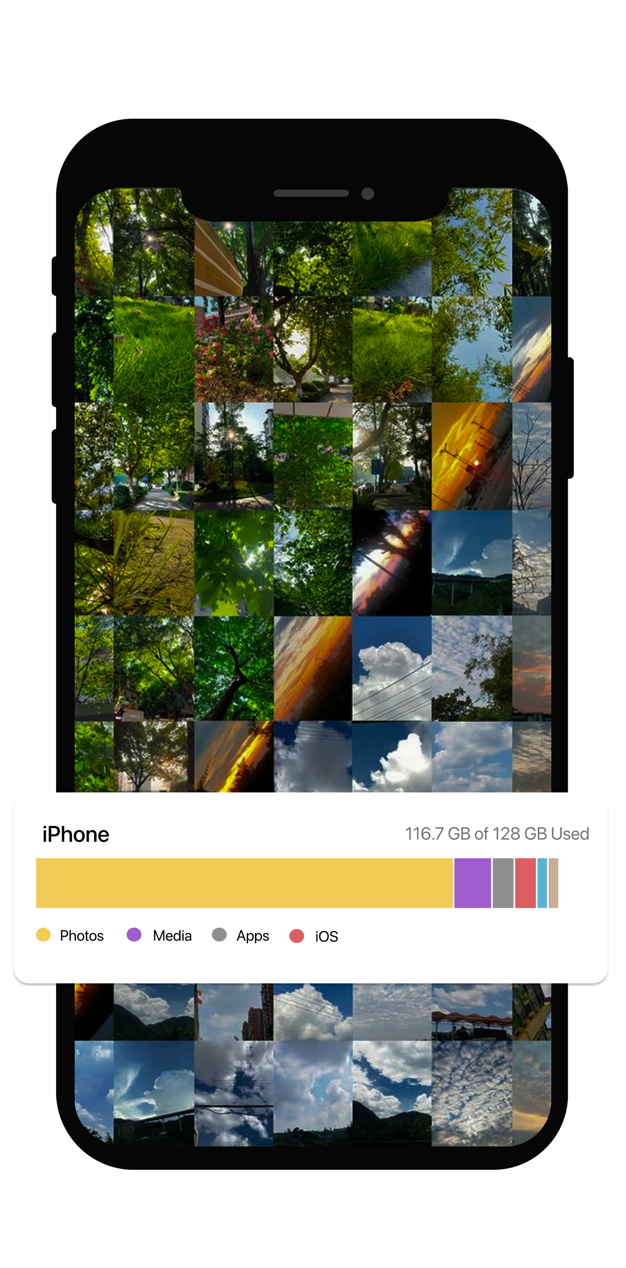
When people search for more space, they are often looking for a safe place to start. Photos becomes the obvious answer because it grows quietly in the background.
Camera rolls expand invisibly
Duplicates, near-identical shots, and screenshots build up over time, even if you never set out to hoard them.
Storage menus do not tell you what to delete first
It is easy to see that space is low, but harder to know which content is safe to remove without regret.
The fear of accidental loss slows everything down
People want more room, but they do not want to sacrifice real memories just to get it.
What makes storage cleanup feel risky.
The storage problem is simple. The decision-making problem is not.
Where people get stuck
- They know they need space, but they do not know which photos are safe to let go.
- They avoid the task because deleting at random feels dangerous.
- They want one path that surfaces duplicates, similar shots, and screenshot clutter instead of treating everything the same.
How SwipeWipe helps you reclaim storage more deliberately.
Instead of treating storage cleanup like one giant decision, it breaks the work into smaller photo-cleanup jobs that are easier to finish.
Start with the easiest wins
Screenshots and exact duplicates are often the lowest-risk places to free up room quickly.
Move into higher-value photo groups
Once obvious clutter is gone, review similar shots so the keeper decisions feel more focused.
Keep the photos that deserve the space
Storage cleanup works best when you decide what matters first and delete around that choice.
Build a repeatable cleanup habit
Short maintenance sessions prevent your library from reaching the same painful storage point again.
Why this page is broader than a duplicate-photo page.
It starts from the outcome
- The visitor wants more storage first, not necessarily a specific cleanup feature.
- This page meets that intent and then routes users toward the right clutter type.
It creates a sequence
- Storage cleanup becomes easier when the site shows what to do first, second, and third.
- That sequence usually begins with screenshots and duplicates, then moves into similar shots.
It matches how real users think
- Many people do not search for “similar photos.” They search for “my iPhone is full.”
- This page translates that outcome into a practical cleanup plan.
FAQ
What should I delete first to free up space on iPhone?
Start with the lowest-risk clutter: screenshots, exact duplicates, and old repeat shots. That lets you reclaim space before touching the photos you care about most.
Should I start with duplicates, similar photos, or screenshots?
If you want the quickest wins, start with screenshots or duplicates. If the harder problem is choosing among several almost-identical shots, use similar-photo cleanup.
Why not just delete random videos or apps?
You can, but many people want a safer, more deliberate path. Photo clutter is often a large storage driver, and it gives you clear categories to review instead of guessing blindly.
Can SwipeWipe help me stay on top of storage over time?
Yes. The strongest long-term benefit is turning cleanup into a shorter recurring habit so the same backlog does not rebuild all over again.
Related pages
Use these more focused pages when you already know which clutter type is taking up the most room.